# 2.4.3設定GMAIL發信

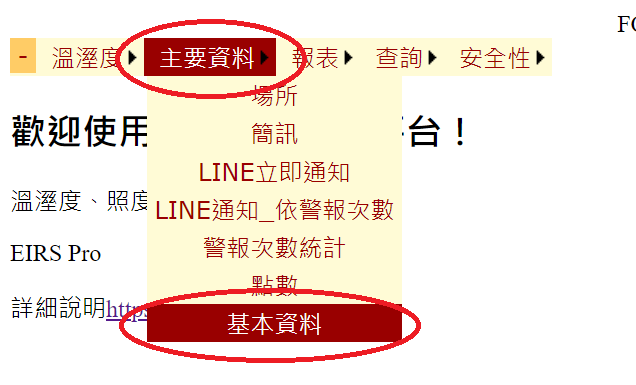
<figure><img src="/files/viFZWqsvvED6o7ipfNHe" alt=""><figcaption><p>程式進入點</p></figcaption></figure>

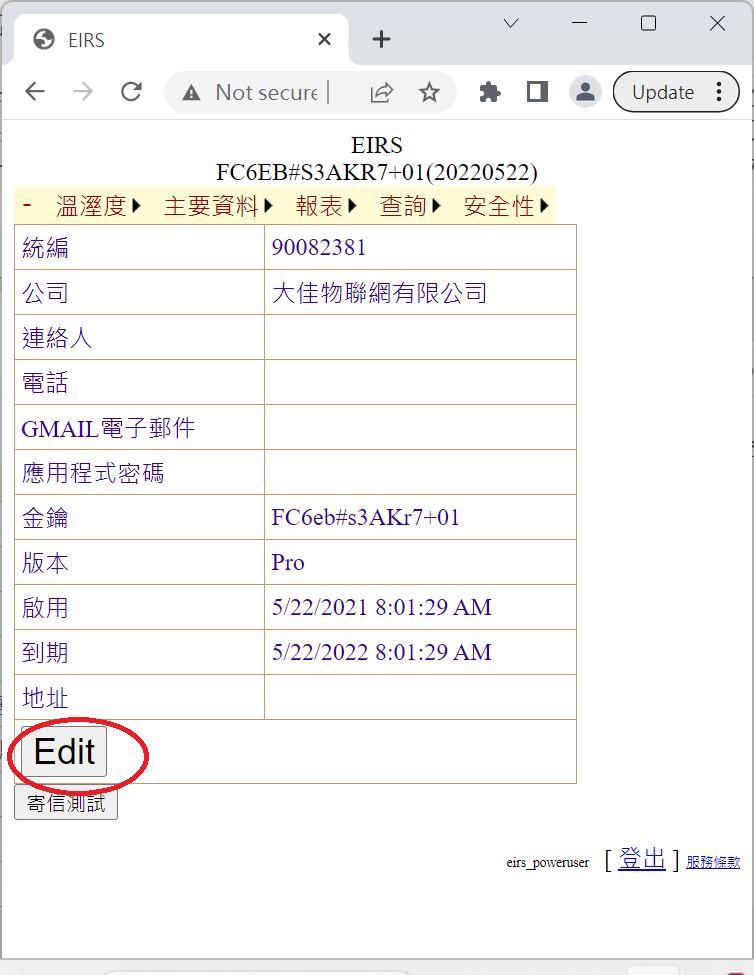
<figure><img src="/files/Xt8J1CFMyXi4Hyxj6wHf" alt=""><figcaption><p>按Edit編輯電子郵件</p></figcaption></figure>

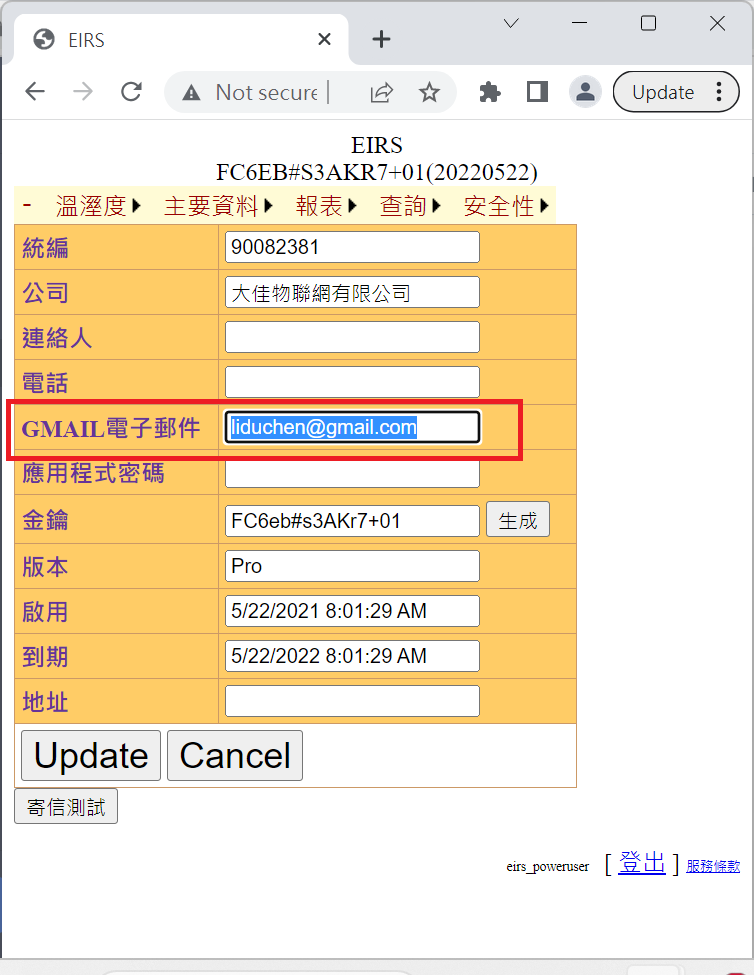
<figure><img src="/files/xdXznmnWtzJML3QHq2tz" alt=""><figcaption><p>輸入GMAIL電子郵件地址，例liduchen@gmail.com</p></figcaption></figure>

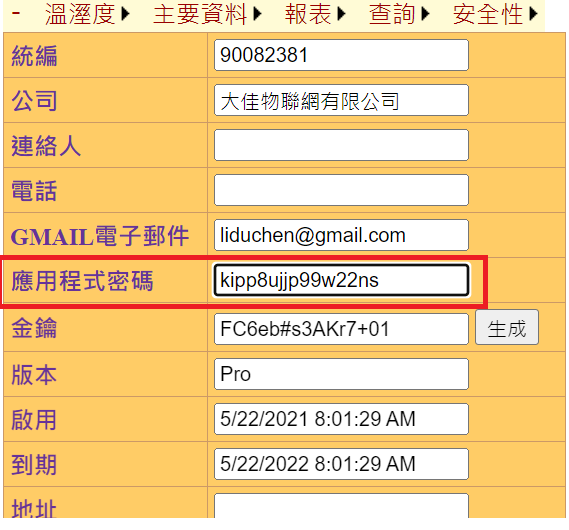
<figure><img src="/files/gBnAUlwwev3kHFvA2J5X" alt=""><figcaption><p>取得應用程式密碼，請參照上一章。密碼共16字元，中間不可以有『空白』</p></figcaption></figure>

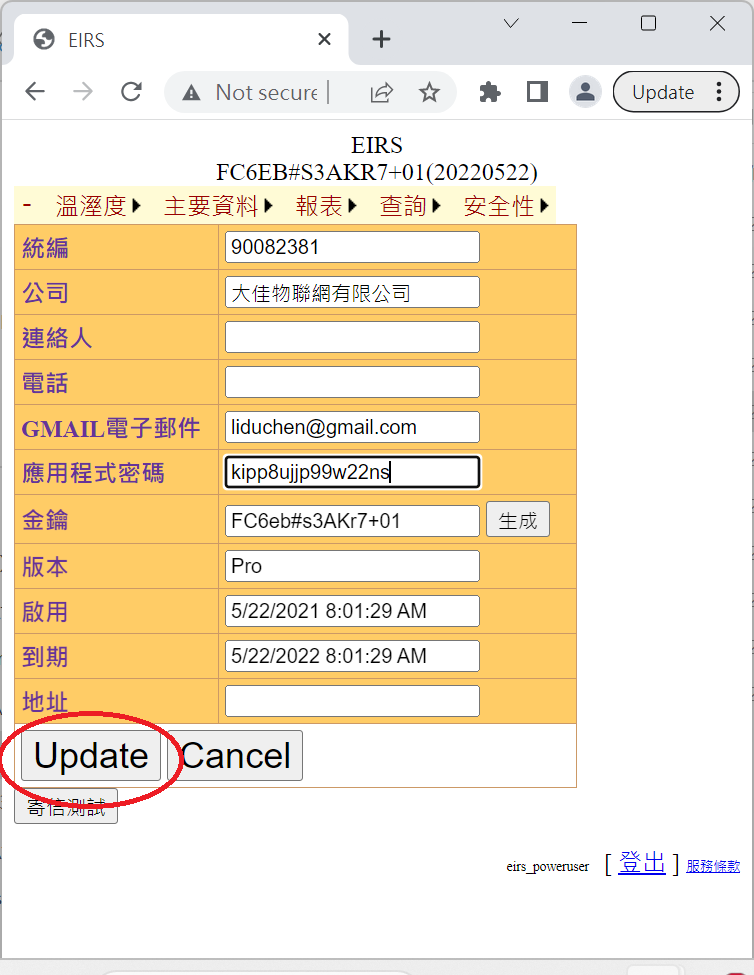
<figure><img src="/files/VGpVtkOH2BnQzpFnSVDM" alt=""><figcaption><p>按Update存檔 </p></figcaption></figure>

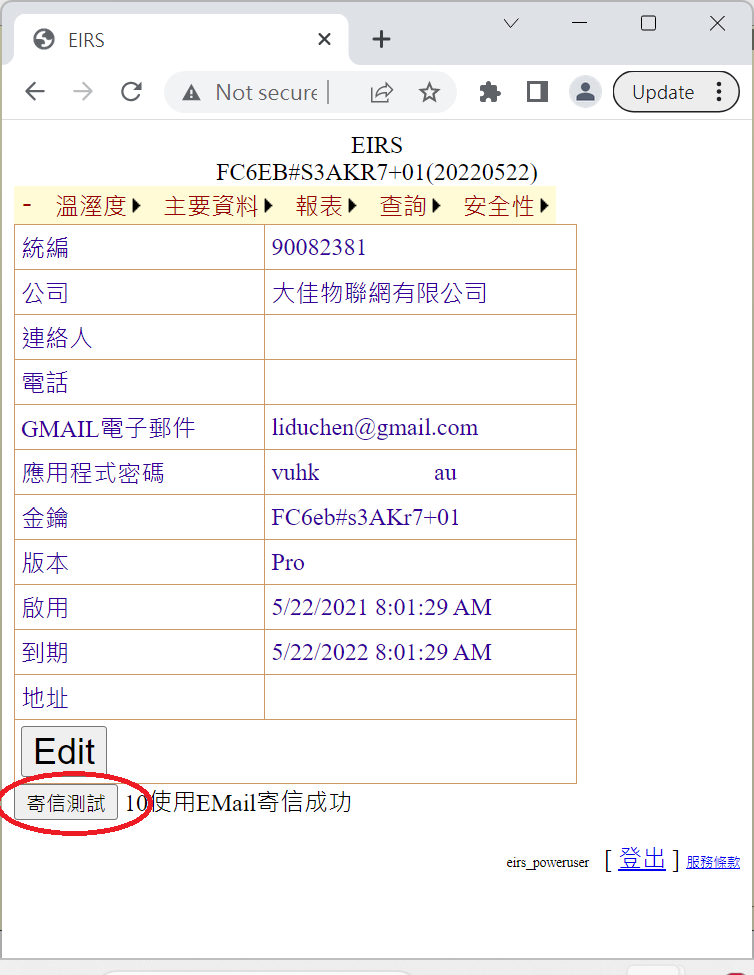
<figure><img src="/files/LEmPXOmKUPYN4InLeZQb" alt=""><figcaption><p>按寄信測試確認遮設定成功</p></figcaption></figure>


---

# Agent Instructions: Querying This Documentation

If you need additional information that is not directly available in this page, you can query the documentation dynamically by asking a question.

Perform an HTTP GET request on the current page URL with the `ask` query parameter:

```
GET https://www.ecs.idv.tw/243.md?ask=<question>
```

The question should be specific, self-contained, and written in natural language.
The response will contain a direct answer to the question and relevant excerpts and sources from the documentation.

Use this mechanism when the answer is not explicitly present in the current page, you need clarification or additional context, or you want to retrieve related documentation sections.